Site Types

How to Access

Log in to the web application > go to Site Management > click on Site Types > click on the Add Site Type button.
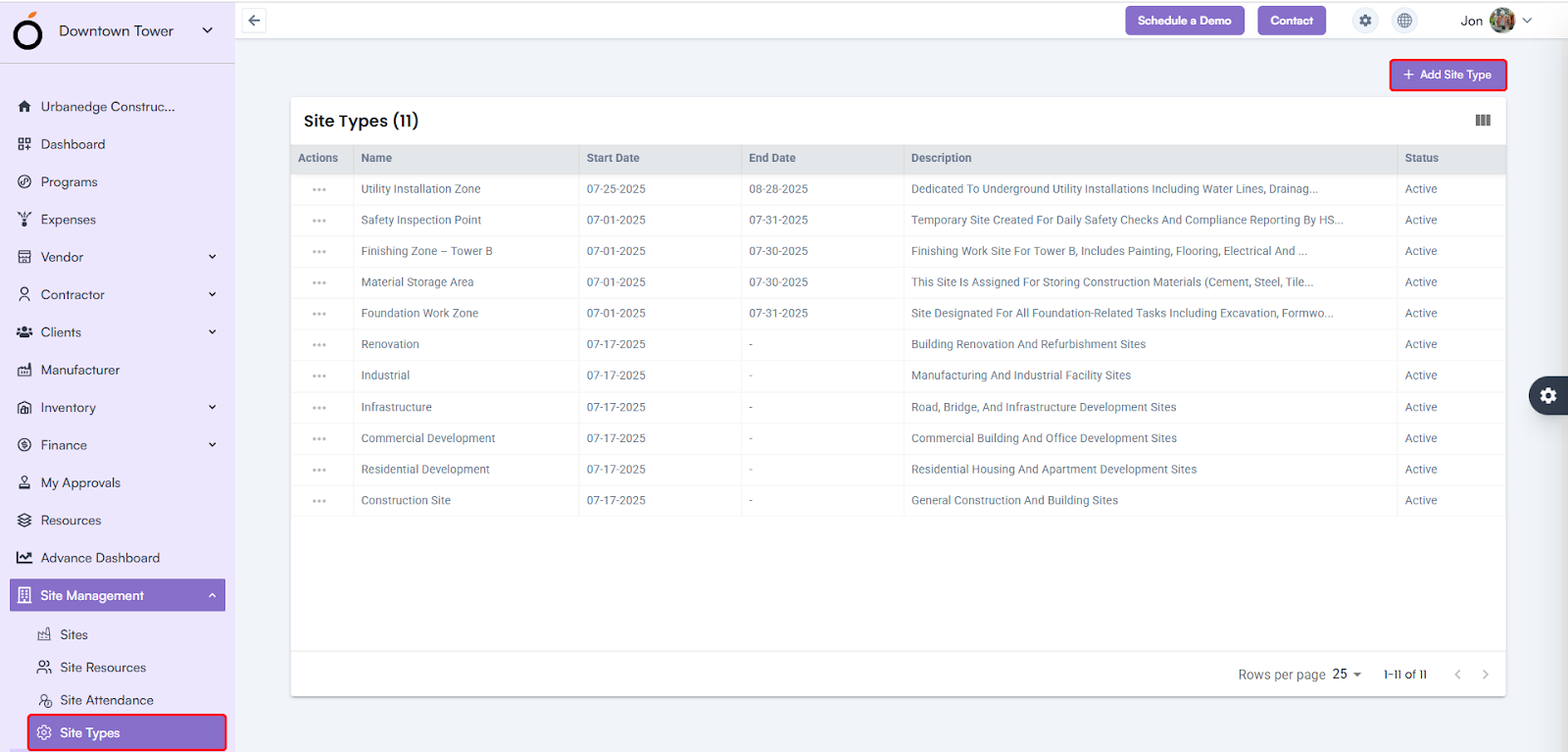
Site Types

Steps to Create Site Type

  • Name* – Enter the site type name (e.g., Residential, Industrial, Renovation).
  • Start Date / End Date – Define the validity period of the site type.
  • Description – Provide a brief explanation about the site type or usage purpose.

Click Save to create a new site type successfully.
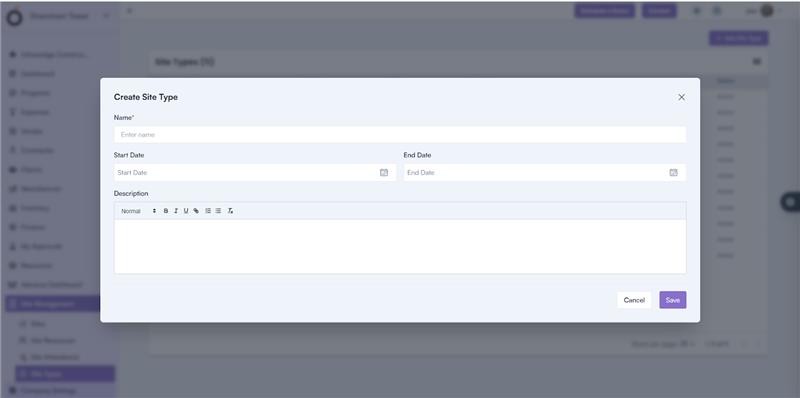
Steps to Create Site Type

Benefits of Site Management

  • Ensures accurate, location-based attendance tracking through geo-validation.
  • Prevents false or off-site check-ins.
  • Allows project-specific resource allocation and visibility.
  • Provides real-time monitoring of site activity and workforce presence.
  • Enhances field accountability and improves project efficiency.

Category: Construction Academy

Subcategory: Budgeting and Planning

Subcategory: Construction Phase

Subcategory: Design Coordination

Subcategory: Estimation Techniques

Subcategory: Initiation and Feasibility

Subcategory: Introduction

Subcategory: Personal Management

Subcategory: Project Close-Out

Subcategory: Project Scheduling

Subcategory: Project Teams

Subcategory: Proposal Management

Subcategory: Total Quality Management

Subcategory: Tracking and Control

Subcategory: Work Breakdown

Category: Help Desk

Subcategory: Client

Subcategory: Construction 101

Subcategory: Contractor Management

Subcategory: Expense

Subcategory: Finance Budget

Subcategory: Inventory Management

Subcategory: My Approvals

Subcategory: Site Management

Subcategory: Vendor Management