- A phase in construction project management is a distinct stage or segment of the overall project, typically defined by specific goals, tasks, and deliverables.
- It helps in organizing and managing the project in manageable parts, ensuring that each stage is completed before moving on to the next, with clear timelines and resource allocation
Accessing the Phase Section
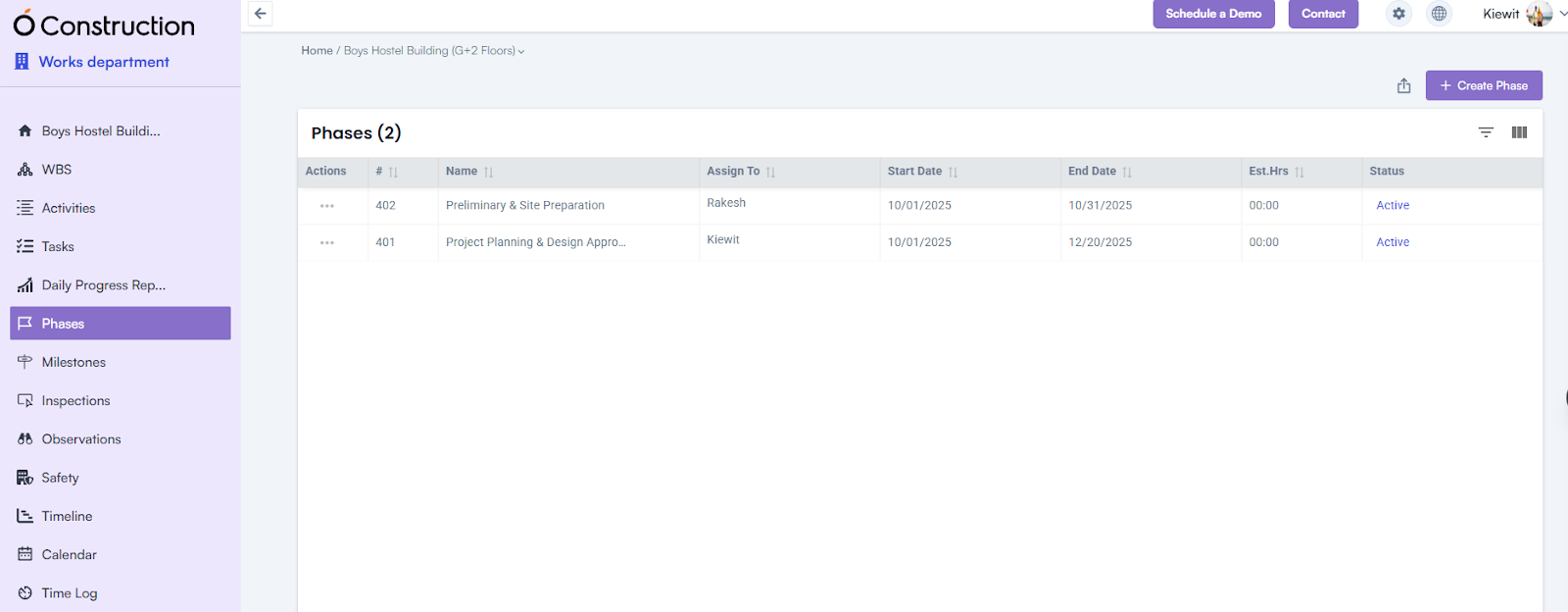
1. Log in to the application using email & password, click on a project name > mark on the left menu.
- This displays all project-related information.
2. Locate the Phase option among the displayed information.
- Click on Phase to be redirected to the Phase Creation Page.
Creating a New Phase
1. Initiate Phase Creation:
- Go to the header section.
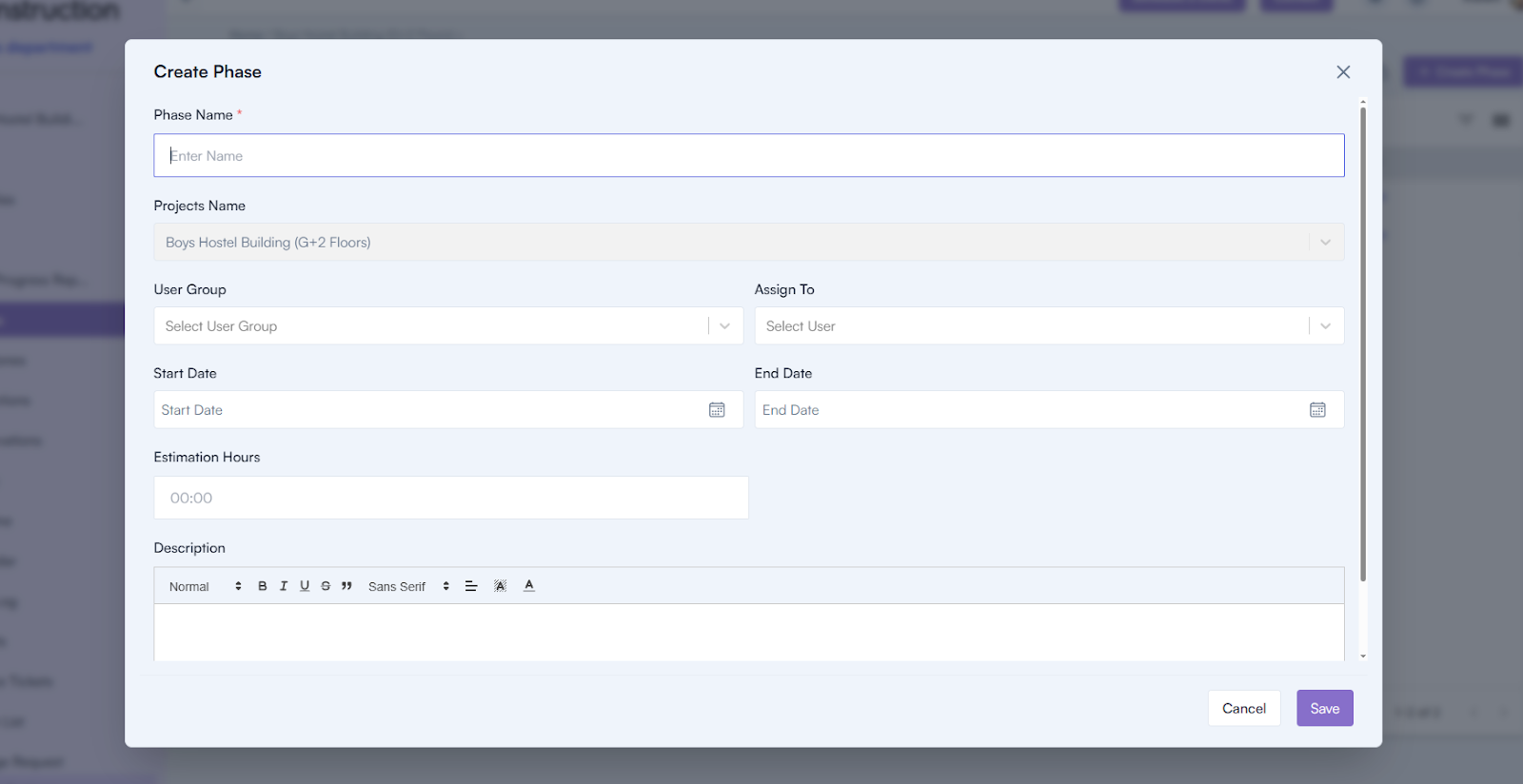
- Click on the Create Phase button to open the Phase Creation Popup
2. Fill in the Required Details:
- Phase Name (mandatory): Enter the name of the phase.
- Project Name: Select the associated project from the dropdown.
- User Group: Choose the user group involved in the phase.
- Assign To: Assign the phase to a specific user.
- Start Date (mandatory): Specify the start date for the phase.
- End Date: Specify the end date (optional).
- Estimated Hours: Enter the estimated time required for the phase.
- Description: Provide additional details about the phase.
3. Save the Phase:
- Click the Save button to create the phase.