- A milestone in construction project management marks a significant achievement or progress point within the project.
- It helps track the completion of major tasks or stages, ensuring the project stays on schedule.
- While a project is mandatory to create a milestone, associating it with a phase is optional. Milestones provide clarity on project progress and help in managing deadlines and resource allocation
Accessing Milestones
Milestones can be accessed and created from two locations:
1. From the Project Page:
- Log in to your account.
- Navigate to the left menu and click on the Project Name.
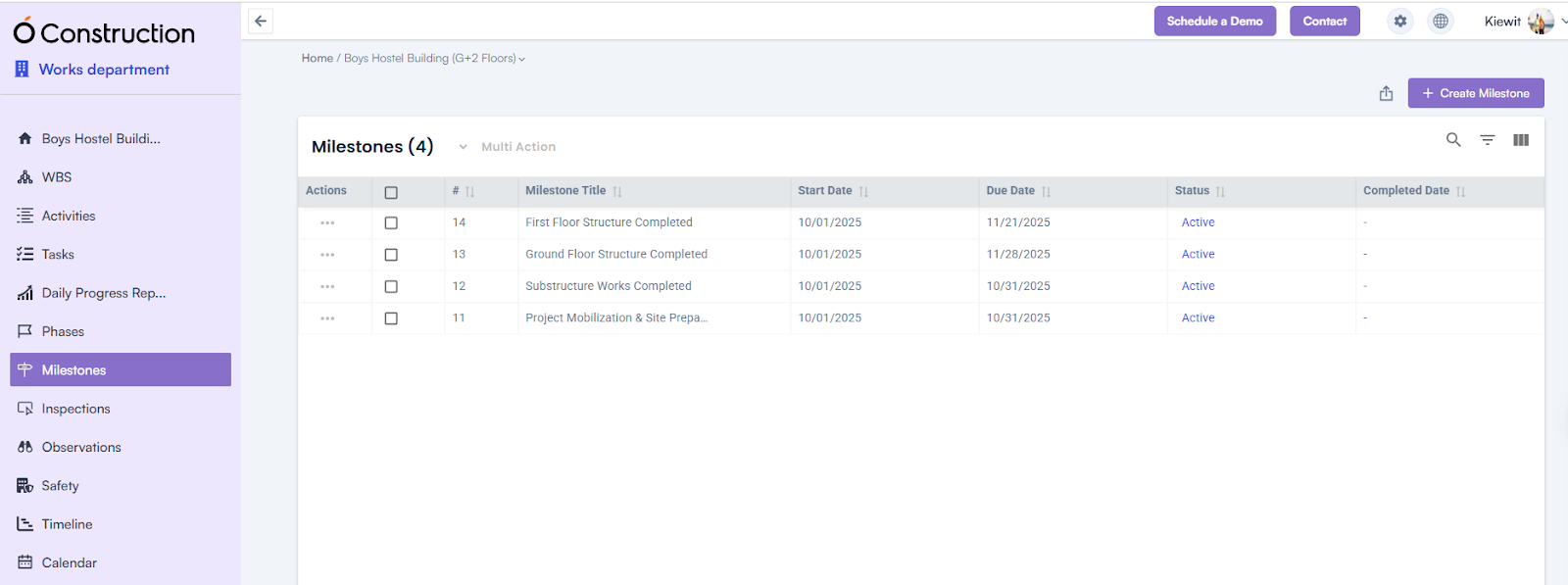
- In the project-related information, locate and click on Milestone to open the Milestone Page.
- Click on the + Create Milestone button and provide the required details.
2. From the Phase Details Page:
- Navigate to the Phase Details Page.
- Click on the Add Milestone button to open the Create Milestone Popup.
Milestone Creation Process
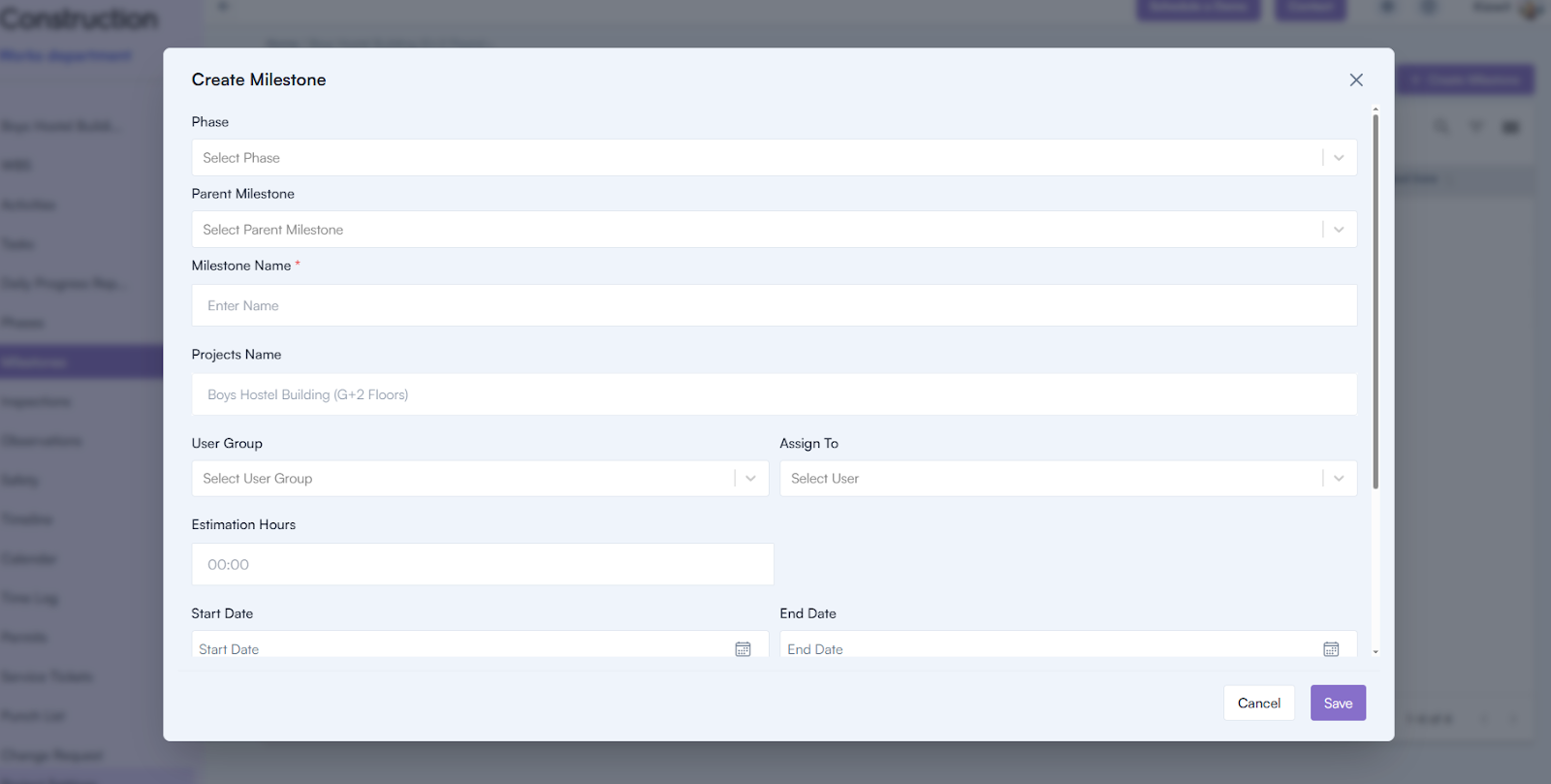
- Open the Create Milestone Popup:
- From either location, click on the respective button to display the pop-up.
- Fill in the Required Details:
- Phase (optional): Select a phase from the dropdown, if applicable.
- Parent Milestone (optional): Select a parent milestone, if applicable.
- Milestone Name (mandatory): Enter the name of the milestone.
- Project Name: Auto-selected based on the associated project.
- User Group: Select the user group responsible for the milestone.
- Assign To: Assign the milestone to a specific team member.
- Estimated Hours: Provide the estimated time required for the milestone.
- Start Date and Due Date: Specify the milestone’s timeline.
- Description: Add any additional details about the milestone.
- Save the Milestone: Click the Save button to complete the milestone creation.
Milestone Details Page
The Milestone Details Page displays all the information provided during creation.
It also includes three additional features:
- Add Task: Create tasks under the milestone.
- Milestone Linking: Link the milestone to related entities.
- Milestone Inspection: Monitor and inspect milestone progress.