When it comes to payroll, frequency matters more than you might think. The decision between monthly payroll vs. weekly payroll isn’t just a preference — it’s a strategic lever that affects cash flow, compliance, morale, and operational efficiency.
For many HR professionals, finance teams, and small business owners, the question is this: How often should you pay your employees? And more importantly — how does that decision impact your team and bottom line?
In this blog, we’ll break down the differences between monthly and weekly payroll, explore how it affects various business models, and help you choose the option that aligns with your goals — backed by practical insights and powered by the flexibility of CRMLeaf’s CRM + ERP platform.
Why Payroll Frequency Is a Strategic Decision for Growing Businesses
Payroll isn’t just about cutting checks — it’s about financial planning, employee satisfaction, and regulatory compliance. As your business scales, choosing the right payroll schedule becomes even more critical.
1. Operational Simplicity vs. Workforce Expectations
- Businesses often lean toward monthly payroll for its administrative simplicity and predictable cash flow cycles.
- However, some industries require weekly payroll to meet labor expectations, especially for hourly or part-time staff.
2. Industry-Specific Norms
- Construction, manufacturing, and retail industries often pay weekly or biweekly due to fluctuating shifts, hourly pay structures, and union rules.
- SaaS companies, consultancies, and professional services prefer monthly payroll to reduce admin load and align payments with invoice cycles.
3. Employee Engagement and Retention
- For many employees, pay frequency impacts satisfaction. Weekly payroll can improve morale and reduce financial stress — especially in hourly workforces.
- On the other hand, salaried professionals often prefer predictable, consolidated monthly pay.
So, how do you decide between monthly payroll vs. weekly payroll? Let’s explore the pros and cons.
Payroll Schedule Comparison: Monthly vs. Weekly Breakdown
Here’s a clear breakdown of the advantages and trade-offs for both schedules, so you can make a confident decision.
Monthly Payroll: Advantages
- Reduced Administrative Overhead: You only process payroll 12 times a year, saving time, effort, and resource costs.
- Simplified Tax Filing: Fewer filings mean fewer opportunities for compliance errors and smoother reconciliation processes.
- Cash Flow Predictability: Monthly payouts help businesses better forecast cash flow, especially when managing vendor payments and invoices.
- Better Integration with Financial Systems: Monthly payroll aligns well with CRM + ERP platforms that also operate on monthly billing and reporting cycles.
Monthly Payroll: Potential Drawbacks
- Delayed Earnings for Employees: Waiting 30 days for pay may cause dissatisfaction among employees, especially in lower-income or hourly roles.
- Harder to Adjust for Mid-Cycle Changes: Bonuses, terminations, and last-minute adjustments may be harder to handle without disrupting the cycle.
- Less Flexibility: If labor hours vary significantly, reconciling hours and calculating pay can be more challenging over longer cycles.
Weekly Payroll: Advantages
- Boosts Employee Satisfaction: Employees receive faster access to their earnings, which can reduce financial stress and improve engagement.
- Ideal for Hourly Workforces: Weekly payroll is perfect for businesses with fluctuating schedules and overtime payments.
- Faster Error Correction: Mistakes can be caught and corrected more quickly, limiting the window for unresolved issues.
Weekly Payroll: Potential Drawbacks
- Higher Administrative Load: Processing payroll 52 times a year can burden HR and finance teams — unless you automate with tools like CRMLeaf.
- Increased Processing Costs: More frequent payroll runs can increase costs related to compliance, direct deposits, and accounting.
- Shorter Cash Flow Windows: Weekly disbursements require tighter cash management and forecasting to avoid liquidity issues.
Best Practices: How to Choose the Right Payroll Schedule
Choosing between monthly payroll and weekly payroll depends on several factors — employee type, industry, company size, and available payroll infrastructure.
1. Align Payroll with Workforce Structure
- If your team is largely hourly, seasonal, or shift-based, weekly payroll often works best.
- For predominantly salaried employees, monthly payroll minimizes complexity and matches performance review or bonus cycles.
2. Evaluate Internal Resources
- If your HR and finance teams are small or overstretched, monthly payroll might reduce workload and risk.
- However, automation with CRMLeaf levels the playing field. You can run payroll weekly without overwhelming your team thanks to built-in workflows and tax calculators.
3. Consider Cash Flow Patterns
- Ask: Can we maintain healthy cash reserves for weekly disbursements?
- If not, monthly payroll may give your finance team more breathing room for planning, investing, or handling emergencies.
4. Stay Compliant with Local Laws
- Some jurisdictions mandate weekly or biweekly payments, especially for certain industries.
- CRMLeaf helps you stay compliant by automating regional payroll compliance and alerting you to changes in tax rules or labor laws.
Real-World Case Study: Choosing the Right Schedule with CRMLeaf
For example, ShopMax, a mid-sized retail business with 300 hourly employees, switched from monthly to weekly payroll using CRMLeaf’s CRM + ERP platform.
After automating time tracking, tax deduction, and overtime calculations:
- Payroll errors dropped by 45%
- Employee satisfaction scores increased by 22%
- Time spent on payroll processing decreased by 40%
By leveraging CRMLeaf’s payroll automation and analytics, ShopMax turned payroll from a pain point into a retention advantage.
Key Takeaways: Finding Your Payroll Sweet Spot
Choosing between monthly payroll vs. weekly payroll isn’t one-size-fits-all. It’s a decision shaped by your team, your operations, and your goals.
- Weekly payroll may suit hourly teams and high-turnover roles that require speed, transparency, and employee satisfaction.
- Monthly payroll may suit salaried workforces, project-based companies, and cash-conscious operations.
- The best strategy is to combine thoughtful planning with powerful automation.
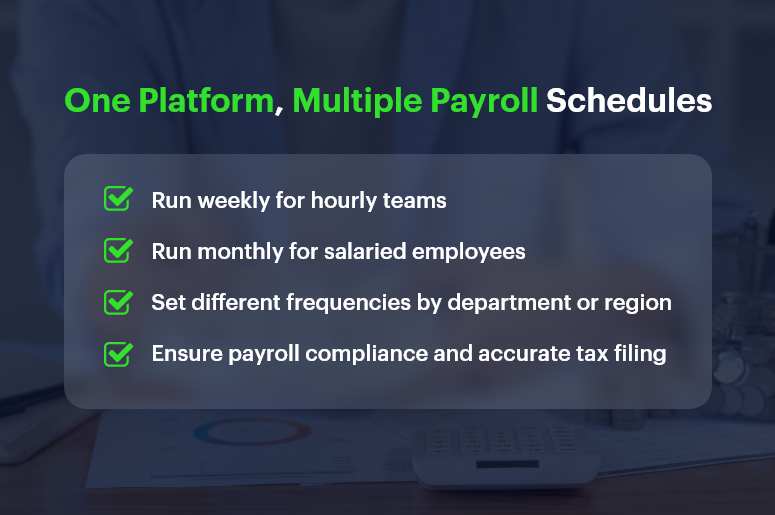
With CRMLeaf’s CRM + ERP platform, you’re not stuck choosing one over the other — you get the flexibility to run different payroll schedules based on department, location, or role.
So whether you want efficiency, accuracy, or happier employees, CRMLeaf empowers your payroll process to align with business strategy.